mateus

Busify

Smart invoicing

Context and background

CharterUp is the biggest player in the charter bus industry and Busify is part of that team. Busify helps charter bus companies manage their fleet, pay their drivers, send quotes, and keep track of itineraries and trips. One of Busify's goals for 2024 was growing and scaling its client roster, shifting from small and medium fleets to bigger operators. A few companies agreed to sign up if one key feature was shipped: an automated invoice system with a live database and audit capability. Not something that immediately benefits every user, but a game changer for the bigger clients Busify was going after.

Role and scope

User research, prototyping, documentation, UI design, design system

Stakeholders

1 product manager, 4 engineers, CEO

Timeline

~1.5 months from start to finish

Tools

Figma, FullStory

Charter a bus in under 60 seconds

What got us here in the first place?

FullStory sessions watched

10

What bigger clients needed to join

invoice automation
audit trail
bulk actions
live database

What caused the most friction with the existing invoice system?

82%
manual entry only
74%
no automation
61%
no audit trail
45%
hard to track at scale

“What's the best invoicing tool now?”

Potential client

Several companies agreed to sign up if the automated invoice system was shipped

The problem

Busify's existing invoice system was manual and limited. Customers could add invoices one by one, but there was no automation, no audit trail, and no way to manage at scale. Bigger fleet operators had no incentive to switch until this gap was filled.

The challenge

This feature had no beta testing period. It would ship directly to all Busify customers, with bigger clients evaluating it as a hard prerequisite to joining the platform. On top of that, every component had to integrate seamlessly with Busify's existing component library while upgrading it for scale, which meant reworking a significant portion of the table infrastructure across the whole app.

The opportunity

A handful of large fleet operators had already agreed to move to Busify, contingent on this one feature. Building it right wasn't just good design work. It was a direct and immediate business unlock that could push Busify past the million-dollar revenue mark.

Desk research and references

How does it work today?

Invoices existed in Busify but with some limitations: one at a time, no automation, no activity logging, and no audit trail. After watching a few FullStory (session recording and analysis tool) sessions, it became clear that customers navigated the invoice flow carefully but hit dead ends the moment any scale was involved. They had clear workarounds, mainly using and importing external spreadsheets and lots of manual tracking, painted a clear picture: the system wasn't built for the scale we needed.

What the clients were used to?

There were some big clients who wnated to migrate to Busify that were used to one tool that sundowned after years in the market. The features there were a good benchmark, but the tool itself was stuck in the 2000's, so providing a better UX was paramount on that end as well.

Who handles invoicing well?

Looking at tools like QuickBooks, FreshBooks, and Stripe's billing dashboard, the pattern is consistent: a clean list view as the primary surface, with filtering, bulk actions, and a detail panel that doesn't force you to leave the page. None of them are built specifically for the charter bus context, but the structural logic translates directly. The goal is to give the operator visibility, control, and speed without overwhelming them with complexity.
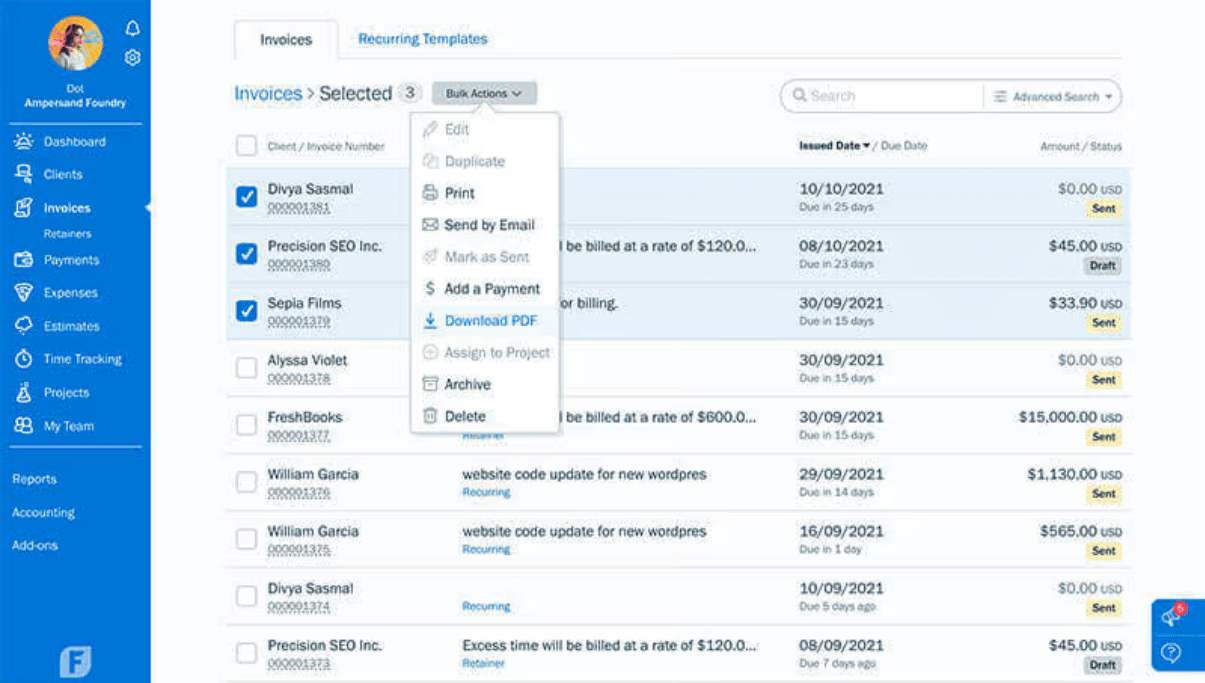
FreshBooks bulk invoice actions

FreshBooks showing bulk invoice actions — send, download, archive, and delete in one go.
Research and first iterations

Research

Invoices already existed in Busify in a basic form: customers could add them manually, one at a time. That gave a starting point for understanding what customers expected before touching any new design. FullStory (a session recording tool) was used to watch how customers actually navigated the invoice flow and whether there were pain points beyond the obvious gaps.

research type

Session recordingOperator feedback analysis

time spent

~1 week

Results

  • The overall experience with the existing invoice flow was subpar. The back and forth when having multiple invoices was hard to watch.

  • Workarounds were common: customers used external spreadsheets amd a lot of copy and pasting to fill the gaps the system couldn't cover.

  • The existing PDF invoices gave a clear picture of the information structure customers were used to, making them a useful starting point for the new design.

First iterations

What was explored

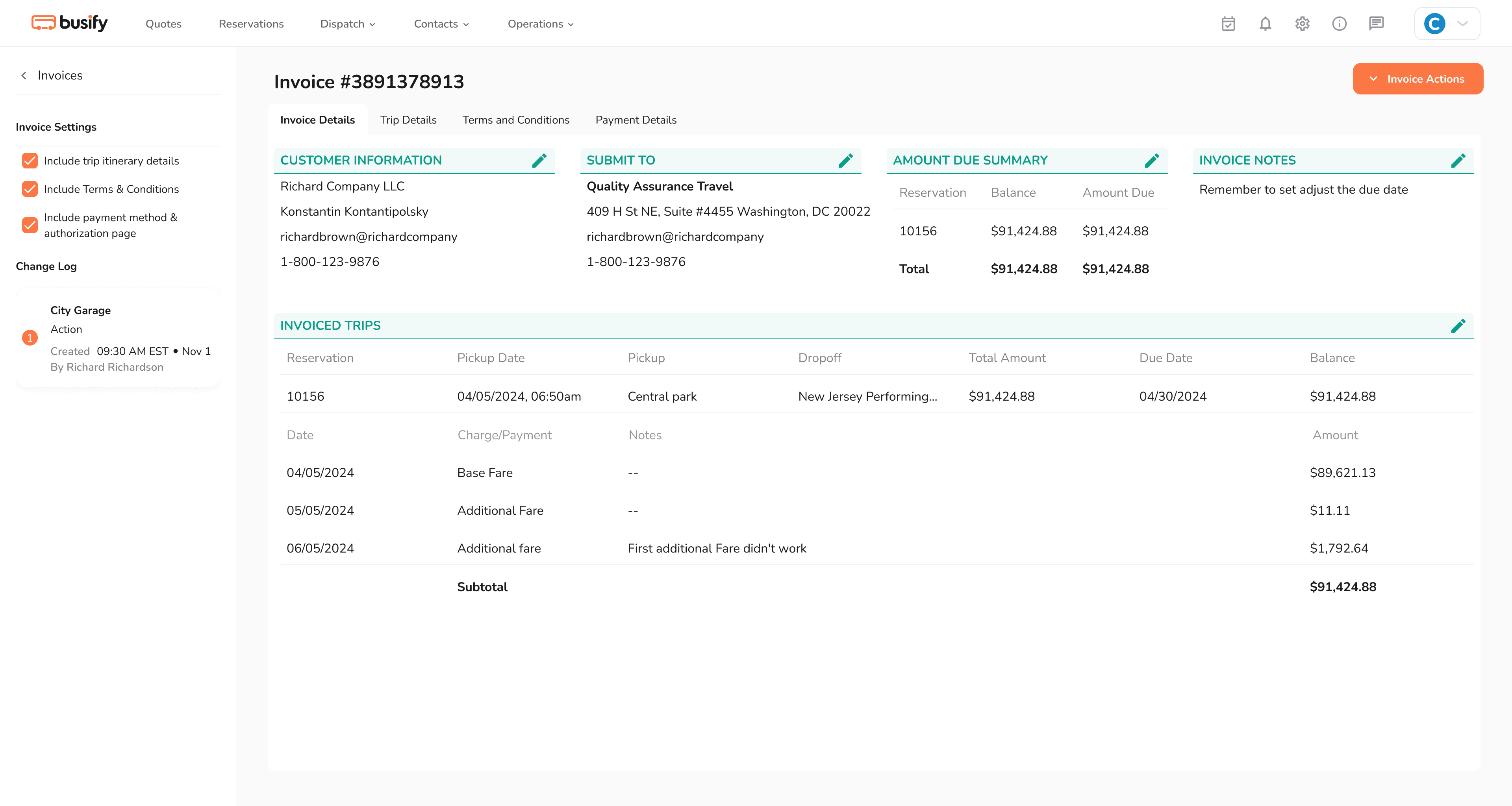
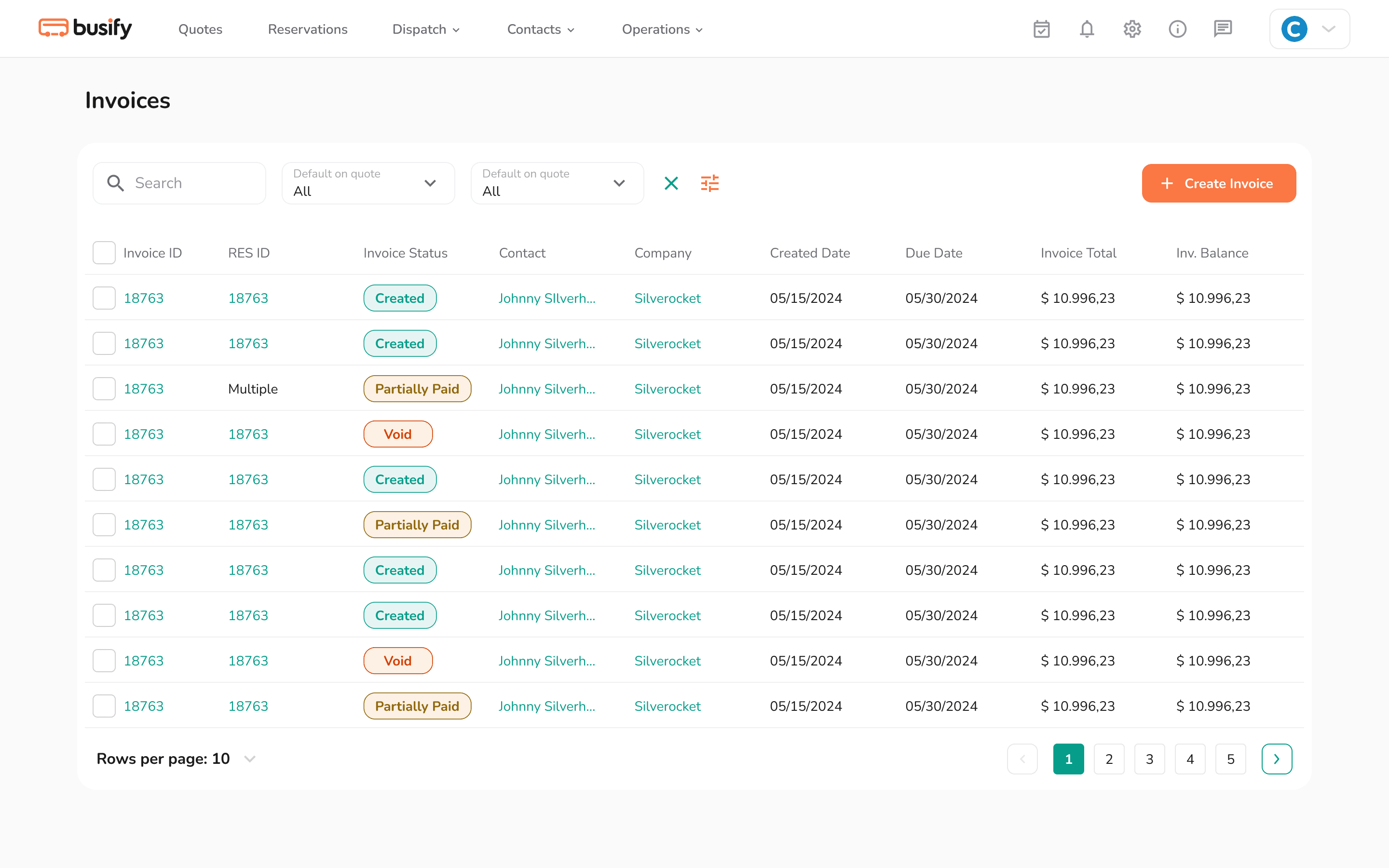
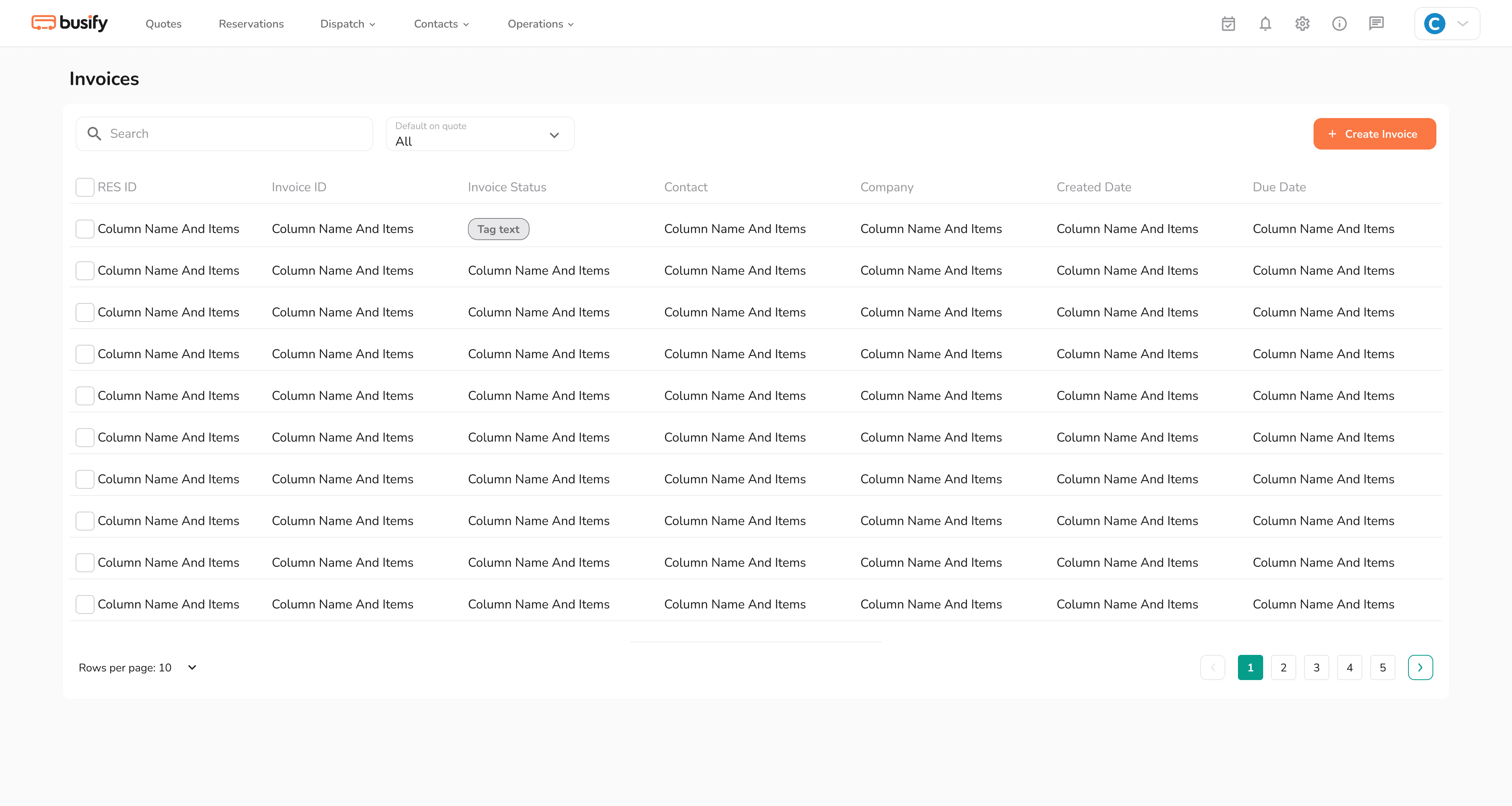
I started by working on the table view and how we could create something that would replace existing tables across the app and handle the invoice library at scale. Three days went into getting that right before touching the invoice screens themselves. Making sure that all actions were doable was paramount. For the invoice detail view, the approach was pragmatic: model it closely after the PDF invoices customers already knew, with a left panel added to surface the change log and breadcrumb without extra navigation.

Result

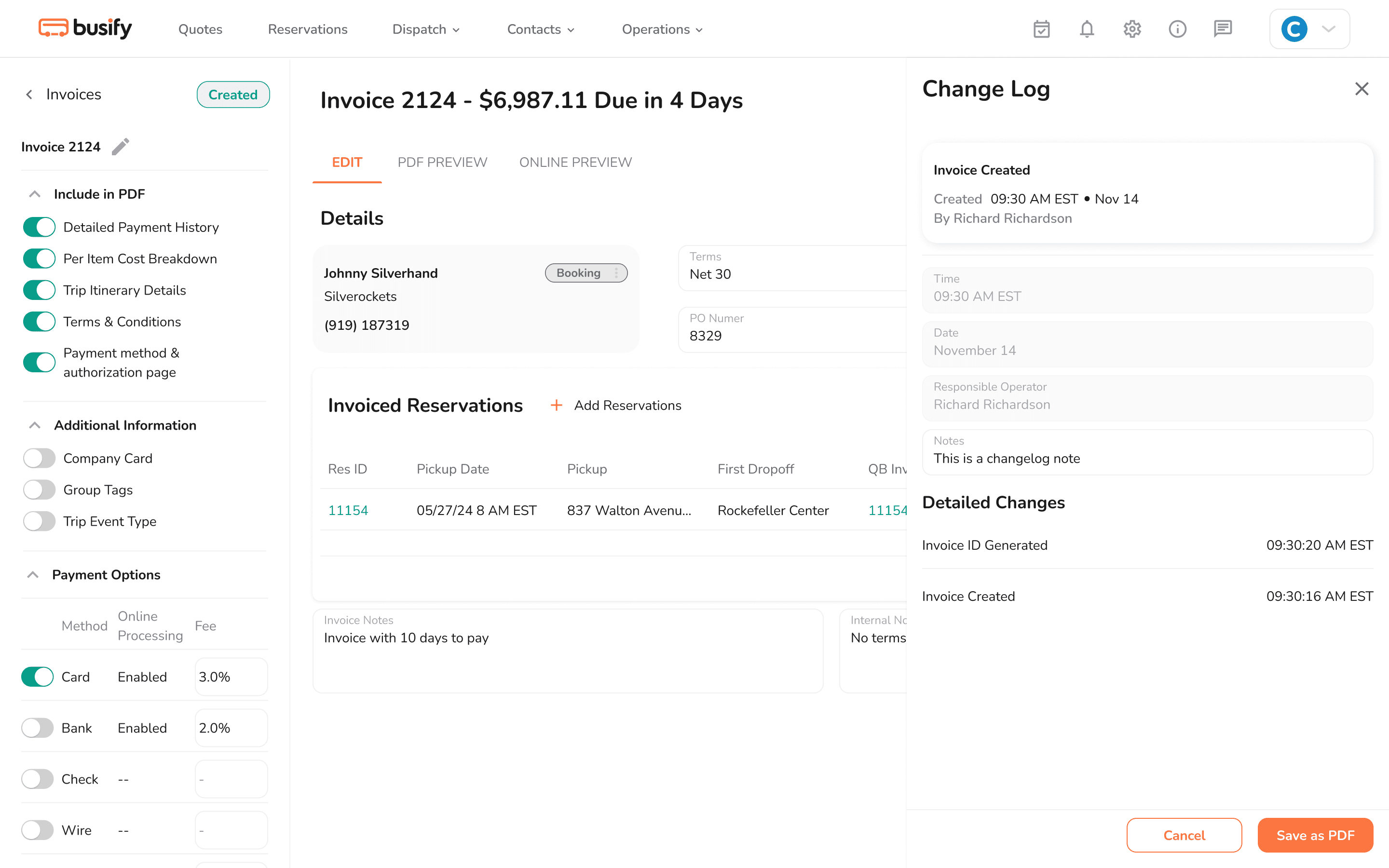
Two versions came out of this phase. The first was simple and office-like but functionally sound. The second added the left panel, which solved the breadcrumb problem and made room for the change log and additional invoice info without cluttering the main view. The PM approved and was ready to move forward.

Feedback

The PM approved the design and was eager to show it to stakeholders quickly. The final stakeholder's response was more direct: the design looked like a PDF transplanted to a web page. They liked the left panel and the change log, but the rest needed to feel like a modern product, not a document.

Table components

Table components, a long overdue work that I really enjoyed doing.

Challenges and steering the ship

Two pivots that made the final design stronger.

Challenge 01

The problem

This feature had to ship directly to every Busify customer with no beta period and no user testing before launch. The business timeline for landing bigger clients made that non-negotiable. On top of that, all components had to follow Brad Frost's atomic design principles and integrate cleanly with the existing codebase, a task usually shared across the team but handled solo here.

“We can't afford a beta period. Bigger clients need to see this shipped.”

The solution

The hardest, highest-risk component was tackled first: the modular table. Spending three days on it before touching the invoice screens meant there was a reliable, reusable foundation that could extend to the rest of the app. Starting with the riskiest piece reduced the chance of cascading changes later and kept the rest of the delivery moving on schedule.

solution screenshot or evolution carousel

Challenge 02

The problem

The first two versions of the invoice screen were functional but too conservative. A misconception carried over from past projects led the team to equate scaling for big clients with the most stripped-down, office-like solution. The final stakeholder called it clearly when they saw the prototype: it looked like a PDF transplanted to a web page, not a modern product.

“This looks too much like a PDF file transplanted to an application page. We need to dare more.”

The solution

Communication frequency increased with both the PM and the final stakeholder, sharing direction early rather than waiting for polished prototypes. The left panel and change log structure from earlier iterations were kept, but the header, summary, and table sections were modernized. Checkboxes were swapped for toggles to reduce dev complexity, and PDF and preview actions were moved to tabs to save space. The final version was delivered within a week and a half and pleased everyone: the PM, the stakeholder, and the client.

solution screenshot or evolution carousel

Results

final screens, collage or video

Final thoughts

The client approved the design right away. This was one of four features delivered in a two-month sprint aimed at landing bigger operators. The result was growing the client base by 12, with more prospects and demos scheduled in that same timeframe. It was a direct signal that Busify was ready to scale and a strong push toward breaking the million-dollar mark within six months.

What I've learned

  • In a startup, things move fast. I had to recalculate my route at least twice, mostly because of shifting internal priorities and stakeholder expectations. Staying adaptive matters more than staying attached to an idea.

  • Building modular components solo for the first time forced a level of precision that paid off. The table system scaling across the whole app without breaking anything was a direct result of tackling the riskiest part first.

  • Keeping the final stakeholder informed earlier, rather than waiting for a polished prototype, would have saved at least one full design cycle. Alignment is faster when it's ongoing, not a presentation.